Experiencing difficulties while accessing your account can be frustrating, especially when you want to check your profile, account details, or other available features. Goa Game login problems can occur for different reasons, such as incorrect login credentials, poor internet connectivity, browser errors, temporary website downtime, or pending account verification.
Fortunately, many login issues can be identified and resolved by following a few simple troubleshooting methods. Whether you are unable to open the login page, have forgotten your password, or are experiencing repeated login errors, understanding the possible causes can help you find the right solution.
In this guide, we will discuss common Goa Game login issues, their possible causes, and practical solutions to help you troubleshoot account access difficulties.
What Is Goa Game Login?
Goa Game login is the process of accessing an existing account using the registered credentials associated with it. Depending on the platform’s account system, users may need to provide a registered mobile number, username, password, or additional verification information.
A successful login allows users to access the features available through their accounts.
Before entering your details, always ensure that you are visiting the correct website or using a verified application. Checking your login information beforehand can also help prevent unnecessary errors.
Common Goa Game Login Problems and Their Solutions
There are several reasons why users may experience difficulties while accessing their accounts. Identifying the exact issue is the first step toward resolving it.
1. Incorrect Username or Password
Entering incorrect account details is one of the most common reasons for unsuccessful login attempts. Even a small typing mistake, an extra space, or an incorrect character can prevent you from accessing your account.
To resolve this issue, carefully check your registered username or mobile number before submitting the login form. Make sure your password is entered correctly and check whether Caps Lock is enabled.
If you have recently updated your password, remember to use the latest credentials instead of an older saved password.
2. Forgotten Goa Game Login Password
Forgetting your password can prevent you from accessing your account. Fortunately, platforms that support password recovery usually provide an option to reset forgotten credentials.
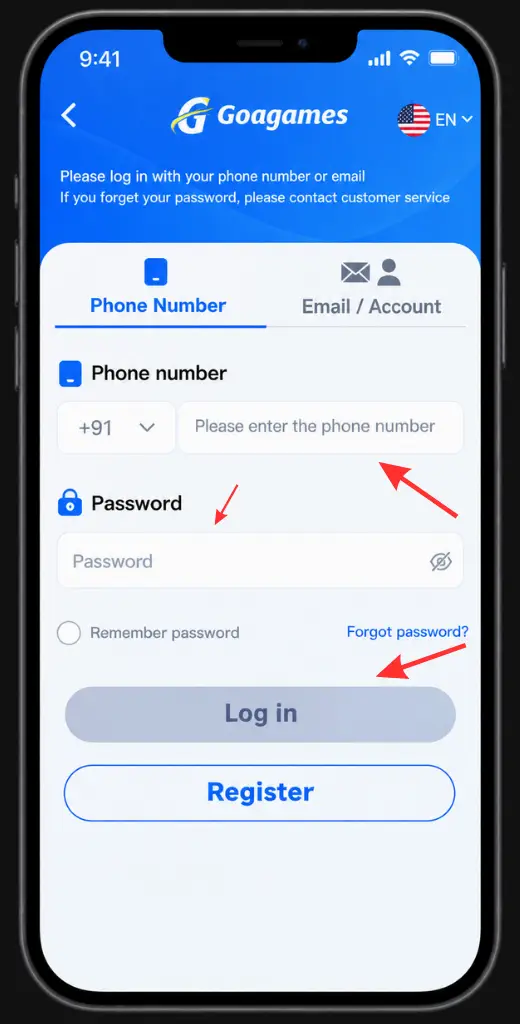
Follow these general steps:
- Visit the verified Goa games login page.
- Find and select the password recovery option.
- Enter the account information requested.
- Complete the required verification process.
- Follow the instructions to create a new password.
- Return to the login page and try accessing your account again.
Choose a strong password that is difficult for others to guess. Never share your password or verification code with anyone.
3. Unstable Internet Connection
A slow or unreliable internet connection can prevent the login page from loading properly. Sometimes, the website may open but fail to respond when you submit your account details.
Start by checking whether other websites are loading normally. If your connection is unstable, restart your Wi-Fi router or switch to mobile data.
Once your internet connection becomes stable, refresh the Goa Game website and try accessing your account again.
4. Browser Cache and Cookie Errors
Stored browser information can sometimes interfere with website functionality. Outdated cache files or corrupted cookies may cause the login page to load incorrectly, refresh repeatedly, or stop responding.
You can try the following solutions:
- Open your browser settings.
- Find the browsing history or privacy section.
- Clear cached images and files.
- Clear cookies associated with the website if necessary.
- Restart your browser.
- Visit the login page again.
Another useful option is to open the website in private or incognito mode. If the page works correctly there, the issue may be connected to stored browser information or an extension.
5. Using an Outdated Browser
Older browser versions may not support all the features required by modern websites. This can sometimes result in loading errors, broken page elements, or login difficulties.
To avoid these problems, check whether your browser has an available update. Install the latest supported version and restart the browser before trying again.
If the problem continues, open the website using another compatible browser to determine whether the issue is browser-specific.
6. Goa Game Website Is Temporarily Unavailable
Sometimes, login difficulties are caused by website-related technical problems rather than your account or device.
Temporary maintenance, server interruptions, unusually high traffic, or technical updates can affect website availability.
If your internet connection is working normally but the website is not opening, wait for a while before trying again.
Avoid repeatedly refreshing the page because this generally cannot resolve a server-side problem. Check the platform’s verified communication channels for any maintenance announcements, if available.
7. Login Page Keeps Redirecting
Repeated redirects can make it difficult to access an account. This issue may be associated with browser cookies, outdated cache files, website settings, or temporary technical errors.
Here are some troubleshooting methods worth trying:
- Clear the browser’s cached information.
- Remove the website’s stored cookies.
- Open the login page in incognito mode.
- Temporarily disable unnecessary browser extensions.
- Try using another browser.
- Restart your device.
If the same problem occurs across different browsers and devices, the issue may be related to the website itself.
8. Account Verification or KYC Issues
Some platforms require users to complete additional account verification before providing access to particular features.
If you encounter a verification or KYC notification, carefully read the instructions displayed on the official account page.
Make sure the information you provide is accurate and that any requested documents meet the stated requirements.
If your verification remains pending, avoid submitting repeated applications with inconsistent details. Instead, follow the platform’s official support instructions to understand the delay.
9. Goa Game Login Problems on Mobile Devices
Many users prefer accessing websites through smartphones because mobile browsing is convenient. However, outdated browsers, device settings, or network interruptions can sometimes affect the login experience.
If you are experiencing Goa Game login problems on your mobile phone, try these solutions:
- Switch between Wi-Fi and mobile data.
- Update your mobile browser.
- Clear cached browser information.
- Open the website in private browsing mode.
- Restart your smartphone.
- Test the website using another browser.
- Check whether JavaScript is enabled.
If the website works on another phone or computer, your original device’s browser or settings may be causing the problem.
10. Incorrect Device Date and Time
Incorrect date, time, or time-zone settings can occasionally interfere with secure website connections and verification processes.
Check your smartphone or computer settings to ensure that the date and time are accurate.
Where possible, enable automatic date and time synchronization. This allows your device to maintain the correct time without requiring frequent manual adjustments.
Goa Game Login Troubleshooting Checklist
Before contacting customer support, try completing the following troubleshooting steps.
Step 1: Verify your registered username or mobile number.
Step 2: Check your password for typing mistakes.
Step 3: Confirm that your internet connection is stable.
Step 4: Refresh the login page.
Step 5: Clear your browser cache and relevant cookies.
Step 6: Try accessing the website in private browsing mode.
Step 7: Update your browser to the latest version.
Step 8: Test the login page using another browser or device.
Step 9: Check for possible website maintenance or temporary downtime.
Step 10: Use the official account recovery or support process if the problem remains unresolved.
Following these steps can help identify whether the problem is related to your account, browser, device, internet connection, or the website.
What to Do If Goa Game Login Still Does Not Work?
If you have already tried the suggested troubleshooting methods and cannot access your account, consider using the official support or account recovery options available through the verified platform.
When requesting assistance, explain the issue clearly. For example, mention whether the login page is failing to load, whether you are receiving an error message, or whether the problem occurs across multiple devices.
Providing these details can help the support team understand the situation more easily.
For your security, never disclose your password, OTP, banking PIN, or other confidential account information to anyone claiming to offer login assistance.
How to Prevent Future Goa Game Login Problems?
Taking a few simple precautions can help reduce the chances of experiencing account-access difficulties in the future.
Consider following these useful practices:
- Protect your credentials: Keep your login information private and use a strong, unique password.
- Update your browser: Install available updates to maintain compatibility with modern websites.
- Maintain a stable connection: Use a reliable internet connection when accessing your account.
- Avoid suspicious links: Only use verified website addresses and trusted communication channels.
- Secure your device: Keep your phone or computer updated with the latest security improvements.
- Remember your registered details: Keep your account recovery information accurate and accessible.
- Be careful with verification codes: Never share OTPs or other security codes with third parties.
Developing these habits can make account access more convenient while helping protect your personal information.
Conclusion
Goa Game login problems can occur for several reasons, including incorrect credentials, forgotten passwords, unstable internet connections, browser errors, outdated software, and temporary website interruptions.
If none of these methods works, follow the platform’s official account recovery or support procedure. You can also read more about OK Win and Jalwa Game to explore related gaming platforms and their features. Most importantly, always protect your login credentials and avoid suspicious third-party websites.
Staying informed and following basic security practices can help make your future account-access experience smoother and safer.
Frequently Asked Questions (FAQ’s)
1. Why is my Goa Game login not working?
Your login may fail because of incorrect credentials, a weak internet connection, browser errors, temporary website downtime, or account verification requirements. Check your account details and internet connection first.
2. How can I reset my Goa Game password?
Visit the verified login page and look for the password recovery option, if available. Follow the required verification steps to create a new password.
3. Why is the Goa Game login page not opening?
The page may not open because of internet connectivity issues, browser problems, or temporary server interruptions. Try refreshing the page, clearing browser cache, or using another browser.
4. Can clearing browser cache solve Goa Game login problems?
Yes, clearing outdated cache files and relevant cookies may resolve certain browser-related login issues. However, it will not fix incorrect credentials or website server problems.
5. Why does Goa Game login work on another device?
If login works on another device, the problem may be related to your original browser, device settings, stored cookies, or internet connection. Try updating your browser or clearing its cached information.